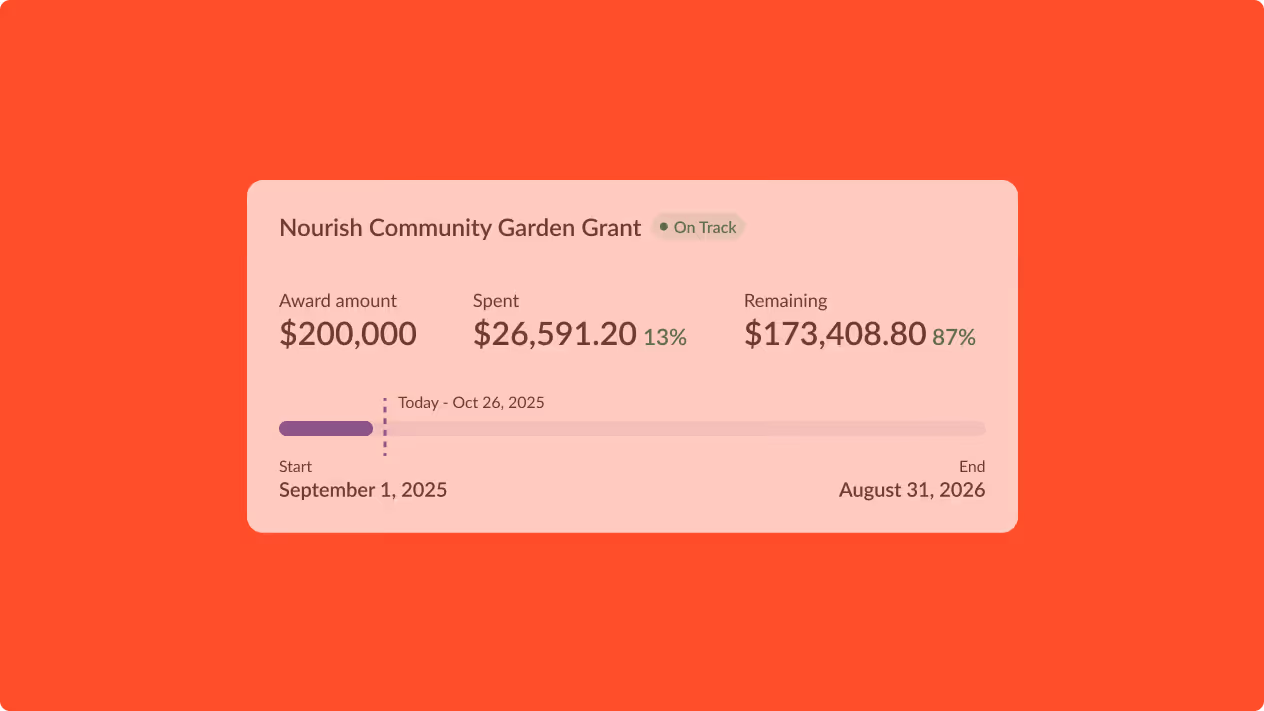
A real-time view of spenddown your team can trust.

Give finance, grant, and program staff an always-accurate view of grant spending. Catch manual errors, prevent over- and underspending, and keep renewals on track.
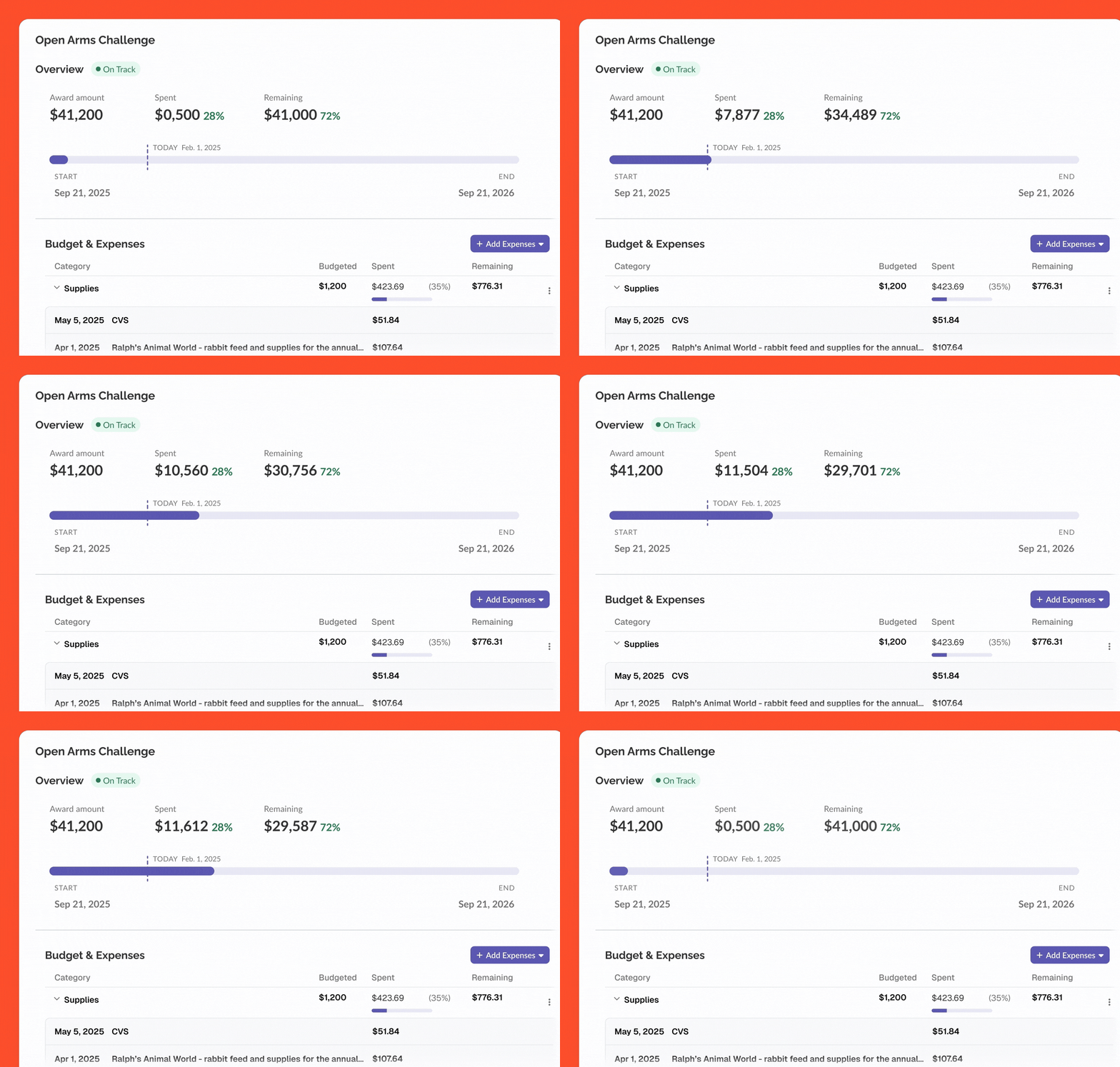

Budget summary for Open Arms Challenge showing $41,200 award amount, $11,500 spent (28%), and $29,700 remaining (72%) with timeline from Sep 21, 2023 to Sep 21, 2026. Under Budget & Expenses, Supplies category shows $1,200 budgeted, $423.69 spent (35%), and $776.31 remaining, detailing expenses including $51.84 at CVS on May 5, 2025, and $107.64 at Ralph’s Animal World for rabbit feed and supplies.
Smiling young professionals sitting around a table with a laptop, having a meeting in an office.

Save hours, reduce 
compliance risk.

Upload your award agreement, and Instrumentl builds your post-award plan: pulling key requirements, building a stakeholder-ready summary, and auto-creating tasks and dates.

Proactive alerts. Reports in minutes.

One central place to monitor every grant in your portfolio. 
Regular email alerts that flag spending that’s off track. 2-click exports 
of budgets vs actuals.

Animated infographic showing a hand placing red coins into a transparent piggy bank, symbolizing budget management.

Manage more awards
without adding chaos

Before Instrumentl

Even teams with strong systems waste hours answering “Can I spend this?” Awards agreements are read and re-read, just in case a requirement was missed. Closeout reporting is a scramble.
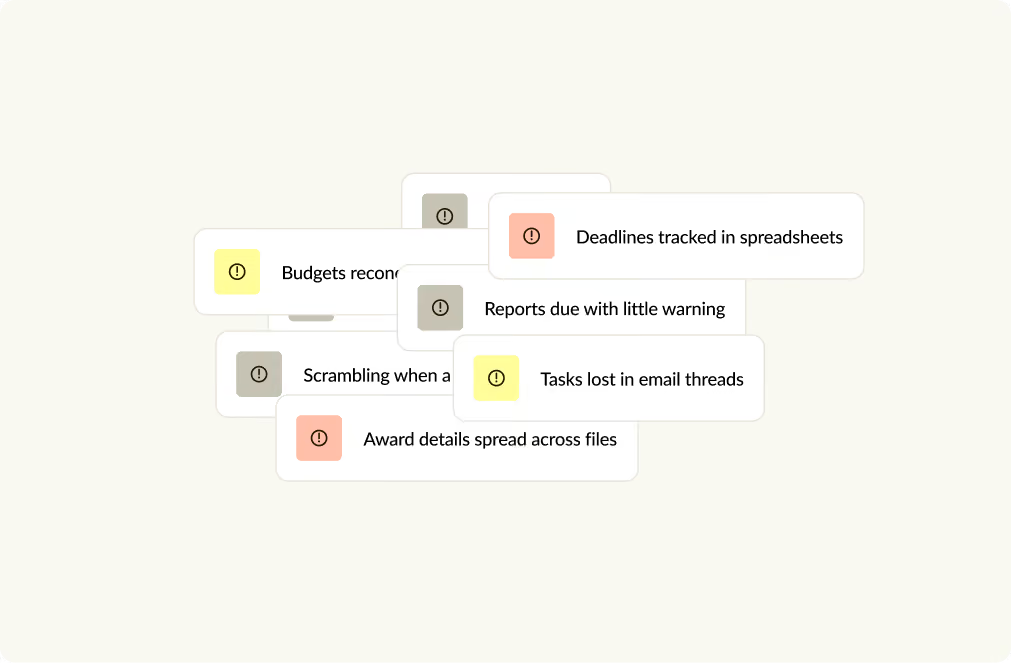
Group of overlapping text boxes with warning icons, listing common workflow problems: budgets recon, deadlines tracked in spreadsheets, reports due with little warning, tasks lost in email threads, scrambling when a task arises, and award details spread across files.

After Instrumentl

Take on complex grants without worrying about what falls through the cracks. What’s awarded, what’s required, who’s responsible, and “how much is left” are all answerable at-a-glance. 
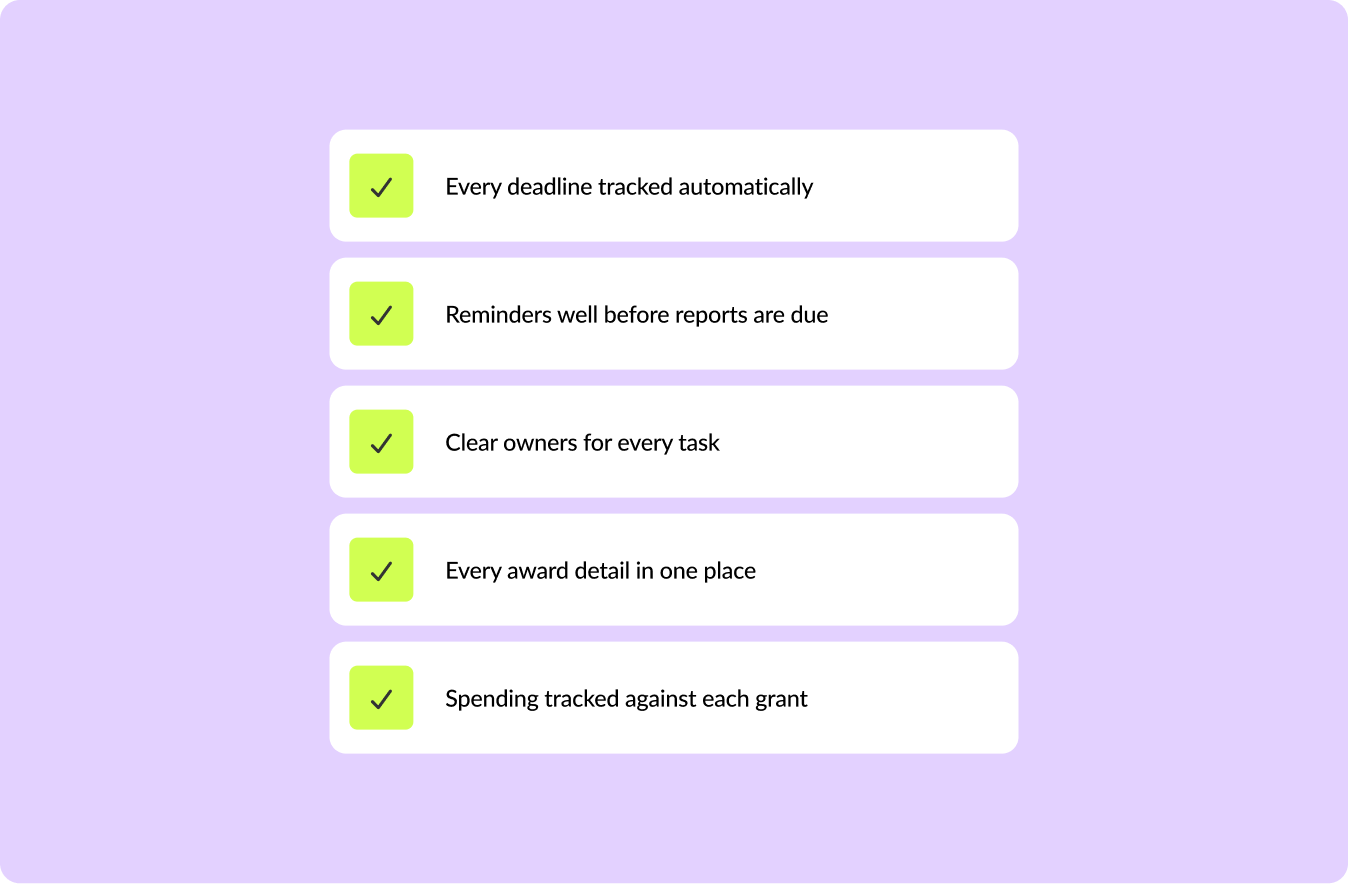
List of five features with green checkmark icons on a purple background: Every deadline tracked automatically, Reminders well before reports are due, Clear owners for every task, Every award detail in one place, Spending tracked against each grant.

What other Nonprofits say

5 stars

“Before, there was no process. We were reporting expenses a couple months behind, and it was all being done manually. A report could take me 45 minutes to an hour. With Instrumentl, it takes maybe 15 minutes.”

Nicole Wheeler

Nicole Wheeler

Controller, JCS Baltimore

Read their story

A woman using a smartphone at a table with a mug, two children blurred in the background.
5 stars

“I can remember when I did this at the beginning of my career, printing out the grantee lists from the 990s and going through with a highlighter. Out of 100 grants, there were only two that were viable. Now it’s all in Instrumentl…Instrumentl has been a game-changer”

Smiling woman with glasses and long hair standing outdoors on a city sidewalk.

Charlisa Garg

Director of Foundation Relations, NYU Langone Health

Read their story

Exterior view of NYU Langone Health hospital buildings at dusk with lit windows and clear sky.

Set up every award in minutes.

Upload your award agreement. We’ll pull out the details that matter. 
Budget categories, recurring post-award tasks, and a summary for stakeholders: 
extracted and created automatically.

Award Assistant

Automatically extract deadlines, compliance requirements, and other critical details from grant agreements.
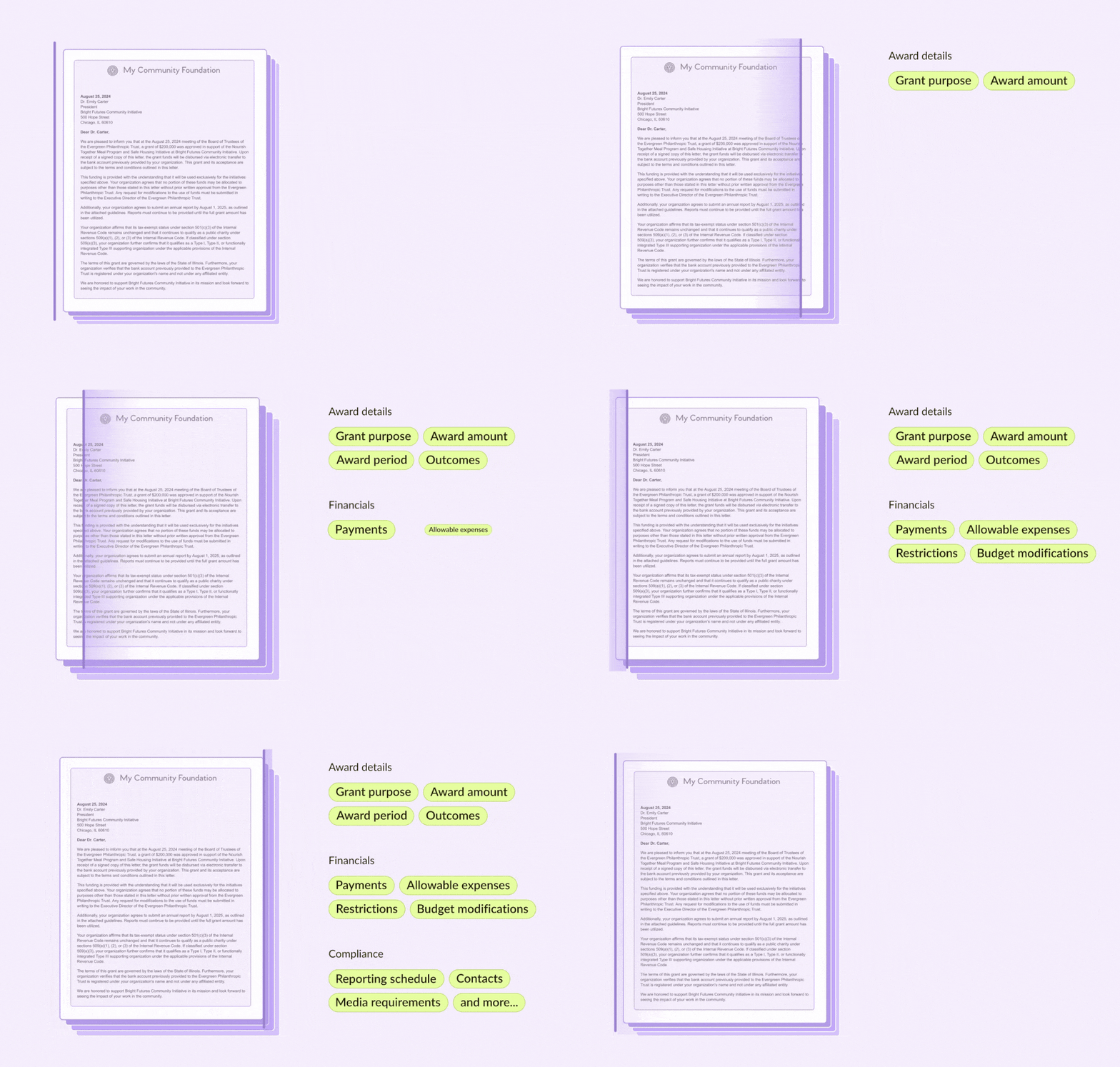
Animated sequence showing a letter from My Community Foundation addressed to Dr. Emily Carter about a $200,000 grant approval for the Bright Futures Community Initiative, explaining terms, tax-exempt status, and reporting requirements.

Budget import

Drop in your funder budget and get clean, ready-to-map categories. Map your GL once. Actuals flow in automatically after that.

Animated graphic illustrating a person viewing a computer screen with an information box on a greenish-yellow background, symbolizing digital content or software usage.

Recurring tasks

Assign tasks, collect requirements, and set automated reminders to keep everyone on track.
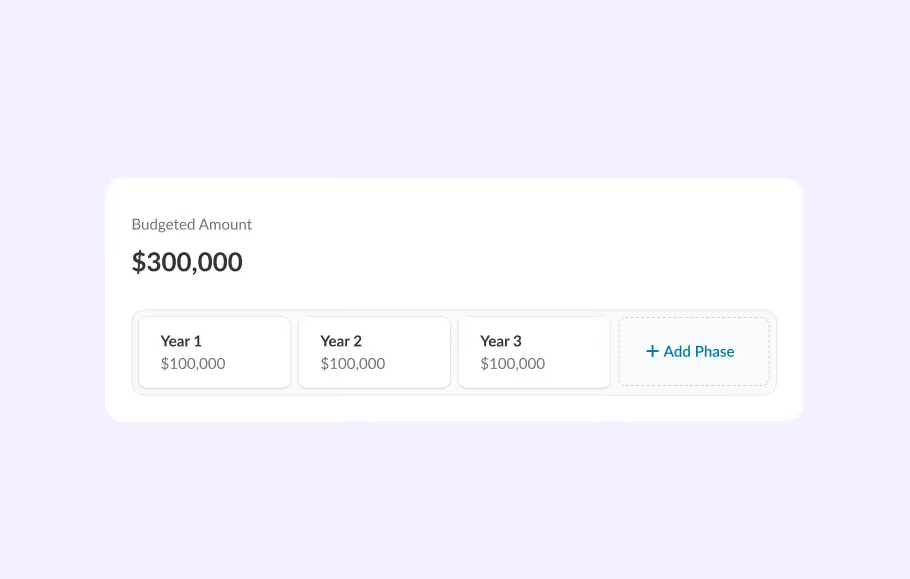
Budgeted Amount section showing a total of $300,000 divided into three phases: Year 1 with $100,000, Year 2 with $100,000, Year 3 with $100,000, and an option to add another phase.

Keep everything up-to-date.

Pull actual expenses directly into Instrumentl. No more requesting reports from finance or copy-pasting into spreadsheets.

Sage Intacct, QuickBooks, and Financial Edge NXT integration

Integrate with Sage Intacct, QuickBooks, or Blackbaud FE. Your actuals flow in and stay current on their own — no CSV exports, manual entry, or re-keying.
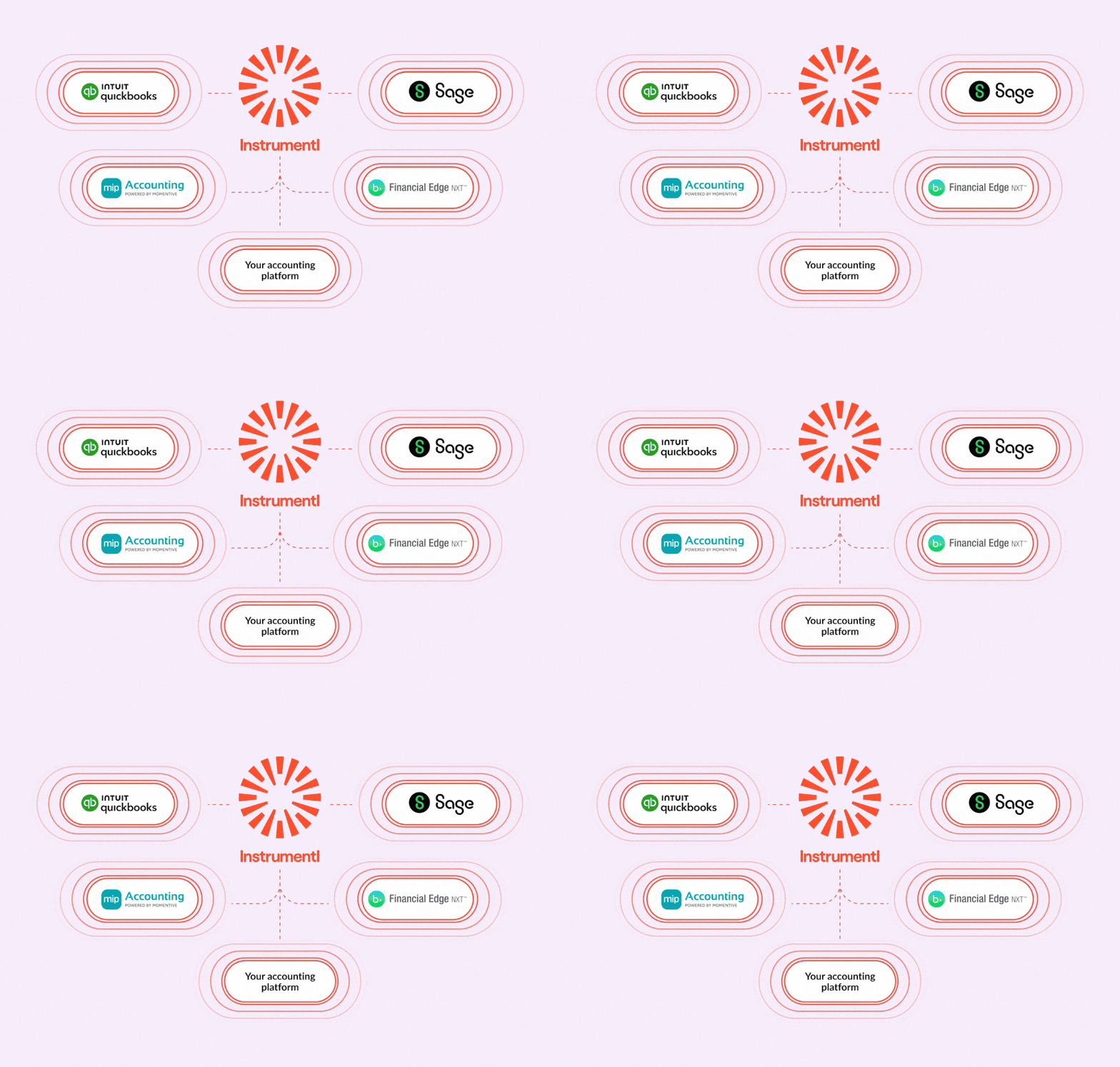
Animation showing Instrumentl logo at the center connecting with accounting platforms: QuickBooks, Sage, MIP Accounting, Financial Edge NXT, and a generic 'Your accounting platform' icon.

Automated expense ingestion from any accounting software

Sync your expenses from any system. Set up email exports — however your accounting tool allows. Instrumentl keeps your actuals up-to-date.
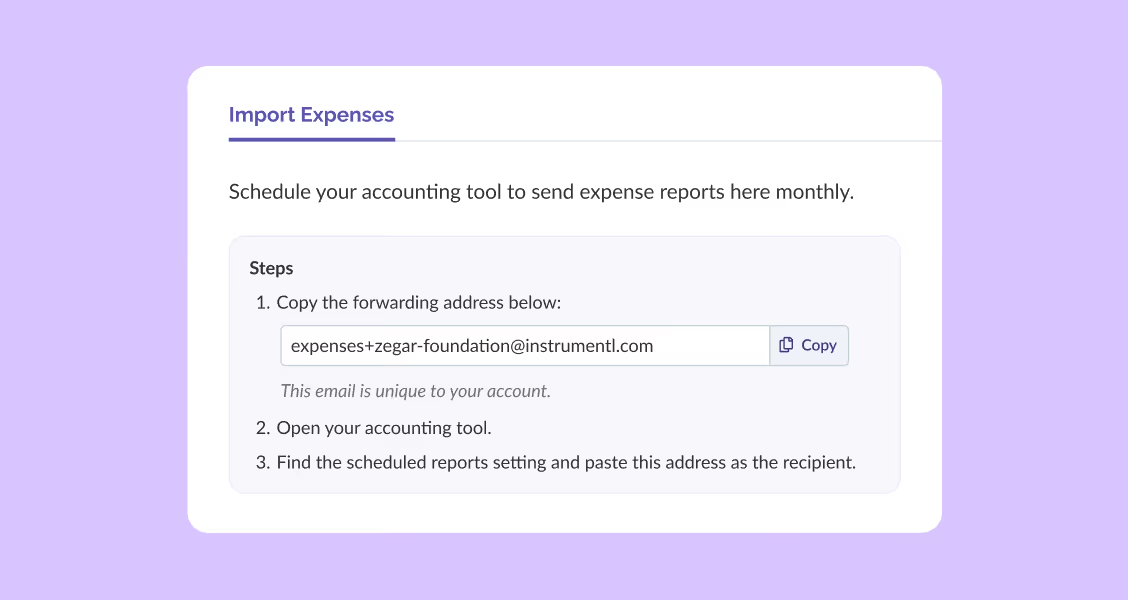
Instructions to import expenses by copying a unique forwarding email and scheduling reports monthly.

Know where every dollar stands

See planned spending alongside actual expenses, by category and award phase across your full portfolio. When something’s off, you see it before your funder does.

Budget vs. actuals view

See exactly what's been spent and what's left on every grant at a glance, with progress bars that flag whether you're on track.

Animated infographic showing a hand placing red coins into a transparent piggy bank, symbolizing budget management.

Planned expenses

Track committed and upcoming costs alongside actuals. Program leads always know what's truly left, not just what's cleared.

Animated illustration showing managing planned expenses: a smartphone screen with icons representing money and bills transitions into a checklist with completed tasks marked.

Over/under spend notifications

Regular alerts that flag overspending or underspending, so you can adjust while there's still time to course-correct.

Animated illustration of a female user managing notification settings on a smartphone, toggling options like app notifications, email, and news alerts with checkmarks and X marks.

Trust & Safety

We protect your data with world-class infrastructure.

SOC 2 Type II certified

Your data is protected by the same standards your funders expect.

Up and running today

No IT project. No implementation timeline. Start matching in within minutes.

Your whole team, no friction

Collaborators can view and contribute without creating an account.

Your research stays yours

Nothing you save or track is shared across accounts or used to train AI models.

Try it
Bigger funding. Less risk.

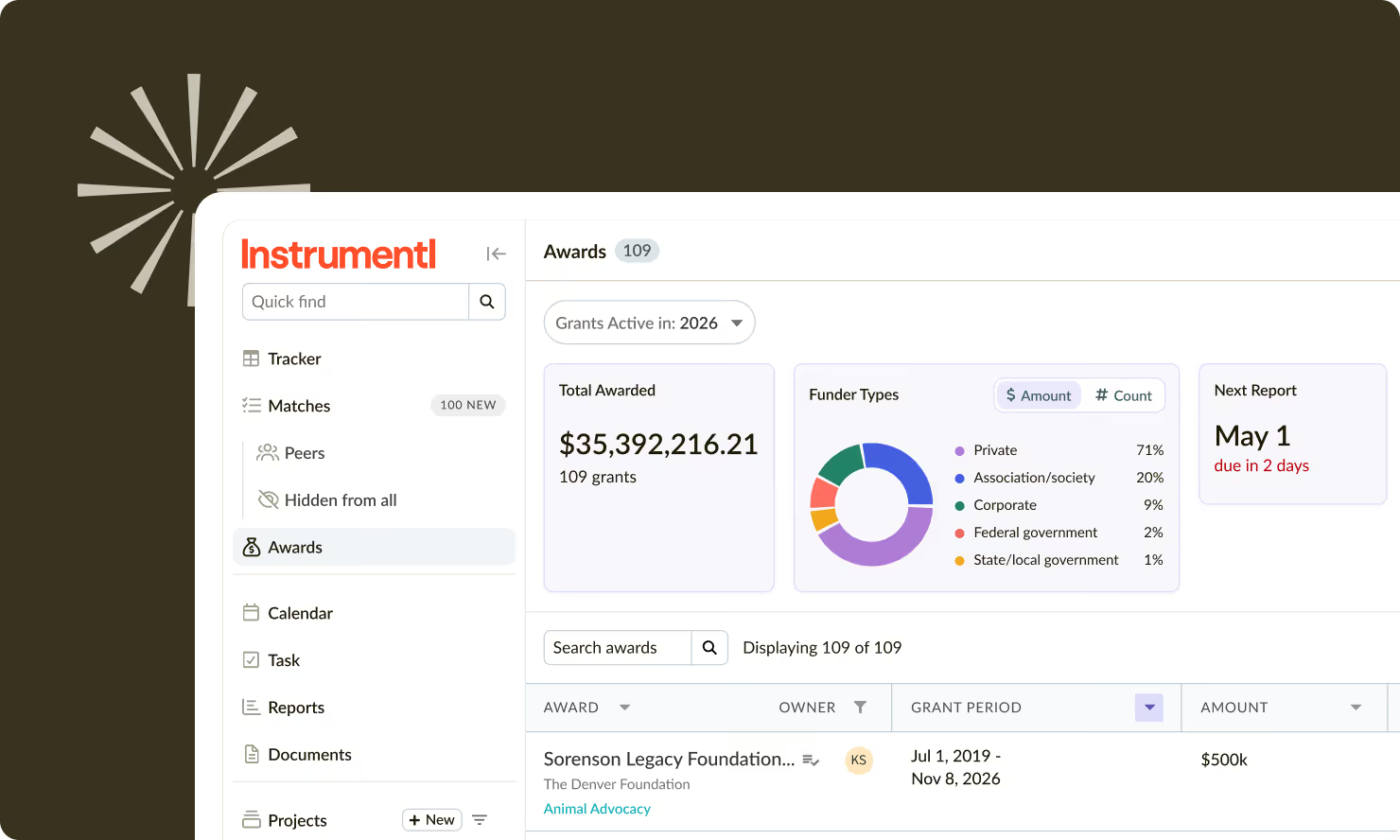
Instrumentl awards dashboard showing total grants $35.4M, funder types pie chart, and next report due May 1.

Frequently asked questions

What accounting systems does Manage connect to?

Manage currently integrates with Sage Intacct and QuickBooks Online, and Financial Edge NXT, with more integrations coming soon.

Can my Finance team access Manage without using the rest of Instrumentl?

Yes, you can give Finance team members access to relevant grant financial data without requiring them to use the full platform.

What if my expenses aren't already allocated to grants in my accounting system?

Manage works best when expenses are tagged to grants in your accounting system before they sync. If your accounting setup needs some adjustment, our team can walk you through what that looks like.

Does Manage replace my accounting software?

No. Manage sits alongside your accounting system. It pulls expense data in so your grants team has the context they need, without replacing the financial system of record your Finance team already uses.

Can I export data for reporting?

Yes you can export budget vs. actuals data in Excel format, customizable by date range.

See how organizations like yours use Instrumentl

Smiling man with glasses and beard wearing a green button-up shirt.

For Nonprofits

Manage multiple client portfolios

Smiling man with curly hair and beard, wearing a beige shirt, looking to the side indoors.

For Higher Ed

Scale high-volume grant operations

Smiling woman with shoulder-length blonde hair and glasses wearing a dark blazer indoors.

For Enterprise

Scale high-volume grant operations

Smiling person with glasses and short hair wearing a mustard cardigan shaking hands.

For Foundations

Scale high-volume grant operations